In my work I often find myself in situation where designers are using colors that are not defined in the style guidelines, but are somewhat similar. This is a difficult situation for every frontend developer that would like to use only colors predefined in guidelines for consistency.
So I decided to build a library that will help me in such cases. First, I'll try to explain some terms. Keep in minds I'm not an expert in the field of color theory, but I will do my best to explain it clearly and without any mistakes.
Section 1Euclidean distance
In general, the euclidean distance is a straight-line between 2 points in Euclidean space. The space can be multidimensional and that's the cause it's not so easy to check color similarity.
 Making Euclidean distance calculations eases identification of similar colors.
Section 2HEX color vs LAB color
You might be wondering what is LAB color, but first let's explain what is HEX color actually.
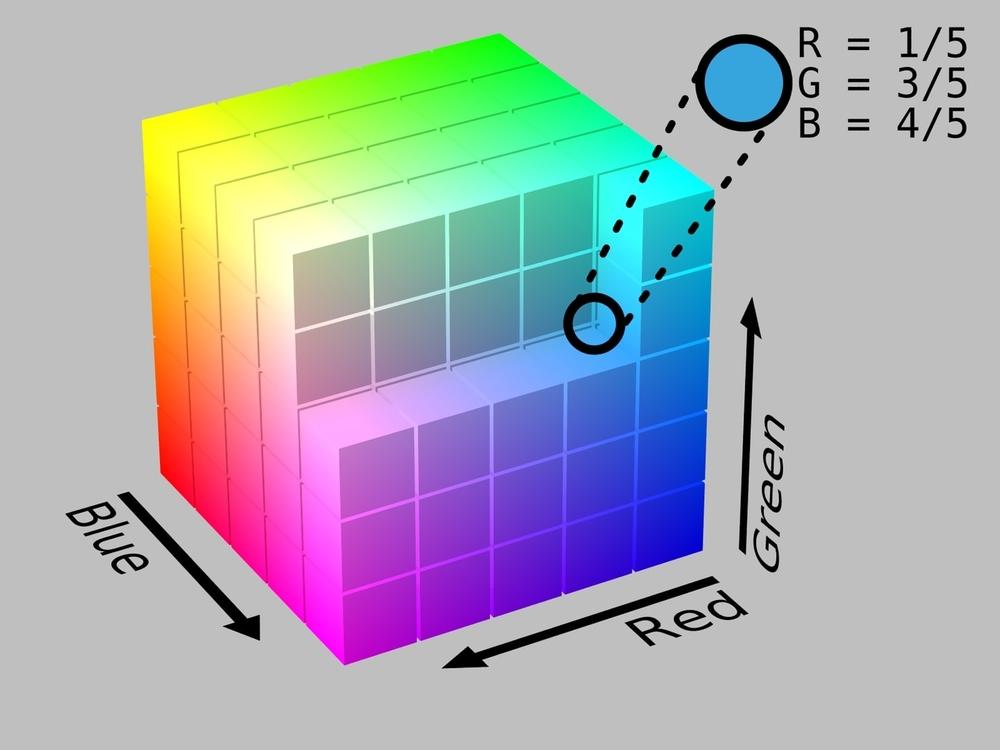
HEX color is a representation of RGB colour space, where colors are defined by a hex triplet is a six-digit, three-byte hexadecimal number, like #bada55. It's a digital color space describing colors visible to machines.
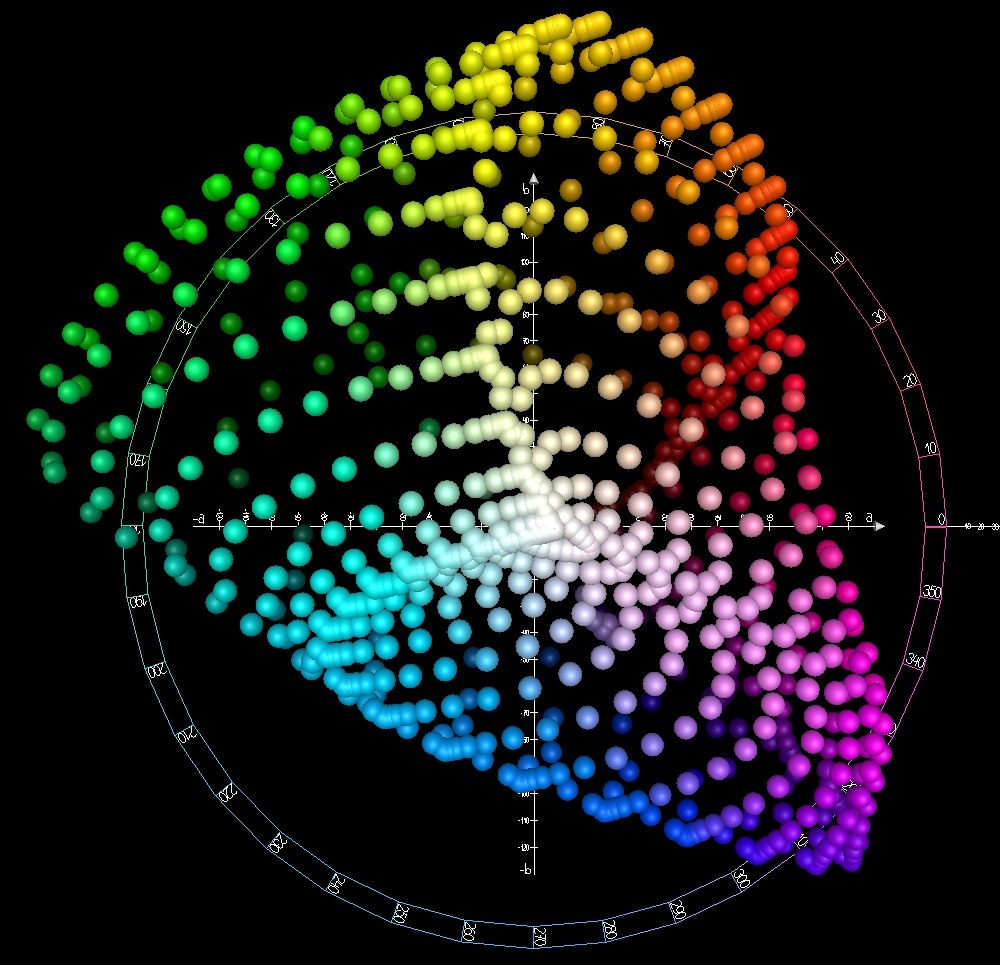
Lab colour describes all the colors visible to the human eye and was created to serve as a device-independent model to be used as a reference. This approach is different from the one represented by RGB color space.
Section 3The library usage
As I mentioned at the beginning of this blog post, I've created a small library that helps to find the most similar color of all predefined colors.
First of all, go ahead and install the library in your project with the following command:
npm install @sunpietro/color-finderThen in your project import the library:
import ColorFinder from '@sunpietro/color-finder';And now you can start using it. Let's in the following example how it's used:
import ColorFinder from '@sunpietro/color-finder';

const colors = [
  '#b3a212',
  '#bb3300',
  '#09a1b3',
  '#bada55',
  '#ff34aa',
  '#123456'
];

const finder = ColorFinder(colors);

console.log(finder.findClosestColor('#bab330'));

/** Console Output
 *
 * #b3a212
 */
There are 2 more methods available and you can read about them in projects docs.
For the browser, you can download the library file and start using it as a regular script. The library will be available in the browser global namespace: window.ColorFinder. The rest is like in the example above.
Section 4Summary
I hope that you find this tool useful. Personally, it help me quite a lot when working with designs using incorrect colors, other than specified in styling guidelines.
If you want to start using it without building your own solutions, then feel free to check the demo page.